Date-Based Email Automation: Renewals, Birthdays and Trials
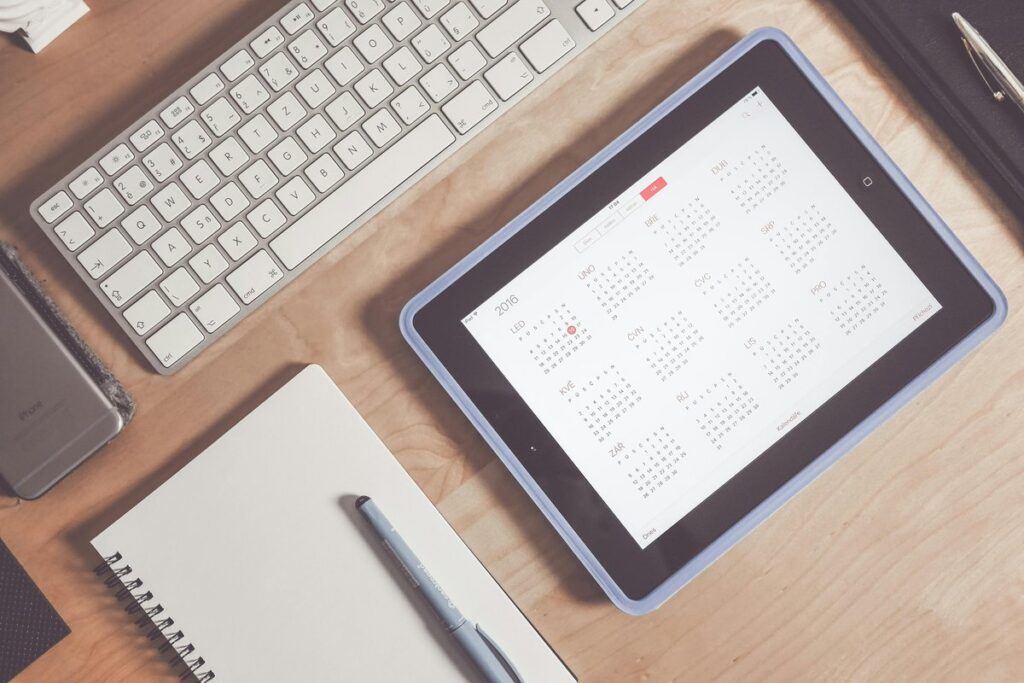
Date-based email automation sends a message when a date stored on a contact comes up, such as a renewal date, a birthday or the last day of a trial, so nobody on your team has to remember to hit send. No more reminders that go out late, go out twice or never go out at all. Below: which dates to store, how to set trigger offsets, how time zones mess with delivery, and what breaks when the underlying data is bad.
What is date-based email automation and when does it make sense?
Date-based email automation is a workflow triggered by a date field on the contact record, not by something the person does, like signing up or buying. Event-triggered flows react to an action. That’s why welcome sequences that keep working fire the moment someone joins. Date triggers just wait for the calendar. In practice they cover three jobs:
- Renewals: billing notices before a subscription charges.
- Birthdays and anniversaries: relationship messages that come back every year.
- Trials: nudges toward a paid plan, timed to when the trial runs out.
One catch. Automations aren’t in every plan. In MailCraft the Starter plan doesn’t include them, so look at the plans that include automation before you start building.
Which dates should you store on each contact?
Store only dates that trigger a specific message, and give each one its own clearly named field. A typical set:
- renewal_date for the next charge on a subscription.
- trial_end_date for the day access expires.
- birthday with day and month only. The year adds nothing to the message (and you don’t need it).
- A signup or first-order date for anniversaries.
Pick one format, ISO YYYY-MM-DD, in a date-type field, not free text. The automation can only compare real dates. And ask for a birthday only if you actually plan to use it for something. The GDPR text on data minimisation and accuracy says in recital 39 that personal data should be limited to what the purpose needs, and that inaccurate data should be corrected or deleted. So keep dates current by syncing them from billing or your app. A one-time import? It goes stale quietly, and you won’t notice until someone complains.
How to set trigger offsets for renewal reminder and trial ending emails
An offset is how many days before or after the stored date a message goes out, and every email in a sequence needs its own. For a renewal reminder email, send an early notice while there’s still time to update a card or switch plans. Then a last reminder shortly before the charge. Annual subscriptions need more lead time than monthly ones. Why? Because a big charge after a year of silence catches people off guard, and surprised customers tend to write angry emails (or file chargebacks).
Trial ending emails work much the same way:
- Mid-trial: a prompt to try the feature that matters most.
- Before expiry: what happens when the trial ends and how to keep access.
- After expiry: one follow-up if the person didn’t convert.
Then add exit conditions, so the sequence stops once someone renews, upgrades or cancels. Skip this and a paying customer still gets “your trial is ending”. Awkward. It looks like nobody’s minding the shop.
Birthday email automation and anniversary email triggers
Birthdays and anniversaries repeat every year, so the trigger has to match day and month and ignore the year. For an anniversary email trigger, count from the signup or first-order date. Then decide: every year, or only milestones like the first or fifth? Birthdays on 29 February need a fallback, either the last day of February or 1 March, and use the same one every year. Keep the offer and tone simple. Honestly, timing beats copy here. A greeting that shows up two days late has missed the point, no matter how nicely it’s written.
Time zones: why a reminder can arrive on the wrong day
A date with no time zone gets read in the account’s time zone, so a contact on another continent can receive the message a day early or a day late. Two ways out: store each contact’s time zone, or send at an hour that works for every region you serve. Watch the billing exports, too. Renewal dates often come out as UTC timestamps, and if you don’t convert them to local dates before the offset is calculated, a charge due late in the evening can slide to the next day. Daylight saving switches and midnight sends cause the most trouble. My advice: pick a mid-morning send time with a few hours of margin either way.
What breaks when the date data is bad (and how to prevent it)
Most failures in date-based flows come from the data, not the automation logic. The usual suspects:
- Mixed formats, where DD/MM and MM/DD swap days and months without throwing any error.
- Dates stored as text, which the trigger can’t compare.
- Empty fields, so contacts silently skip the flow.
- Placeholder years typed in just to get past a required field, which wreck anniversary logic.
- Past dates that all fire at once the moment the automation goes live.
- Duplicate contacts, each getting the same email.
Prevention starts at import. Follow the guide to mapping date fields on import, check the field types and eyeball a sample of rows before loading the file. Before launch, test on a small segment, preview who qualifies today and decide what happens to contacts with no date.
So, reliable date-based email automation boils down to a short checklist. Clean date fields in one format. A clear offset for every message. Time zones sorted before anything sends. Exit conditions that stop a sequence once it’s done its job. Get those right and your renewal, birthday and trial emails pretty much run themselves. Ready for the next flow? Our guides to email automation cover the other workflows.
FAQ
How far ahead should a renewal reminder email go out?
It depends on the billing cycle and how long the customer needs to act. Annual plans need more notice than monthly ones, since the amount is bigger and people may need sign-off or a new card. Send the first notice early enough to change plans, then a short last reminder close to the charge.
Do I need consent to send birthday emails?
It depends on your legal basis and the purpose you stated when you collected the date. Ask for the birthday with a clearly explained reason, use it only for that, and let people change or remove it any time. Not sure? Check with whoever handles data protection in your company.
What happens if a contact has no date in the field?
The contact never enters the flow, because there’s nothing to trigger it. Set a default rule, such as excluding them on purpose, or add a step that asks for the missing date, for example in a preference centre or at the next login.